
A piano visualizer for iPhone and iPad
A piano visualizer draws music as notes falling onto a keyboard. Blanc Notes does it on your iPhone or iPad, from a MIDI or MusicXML file, an audio recording or a piano video, and lets you change how every part of it looks before you export it as a video.
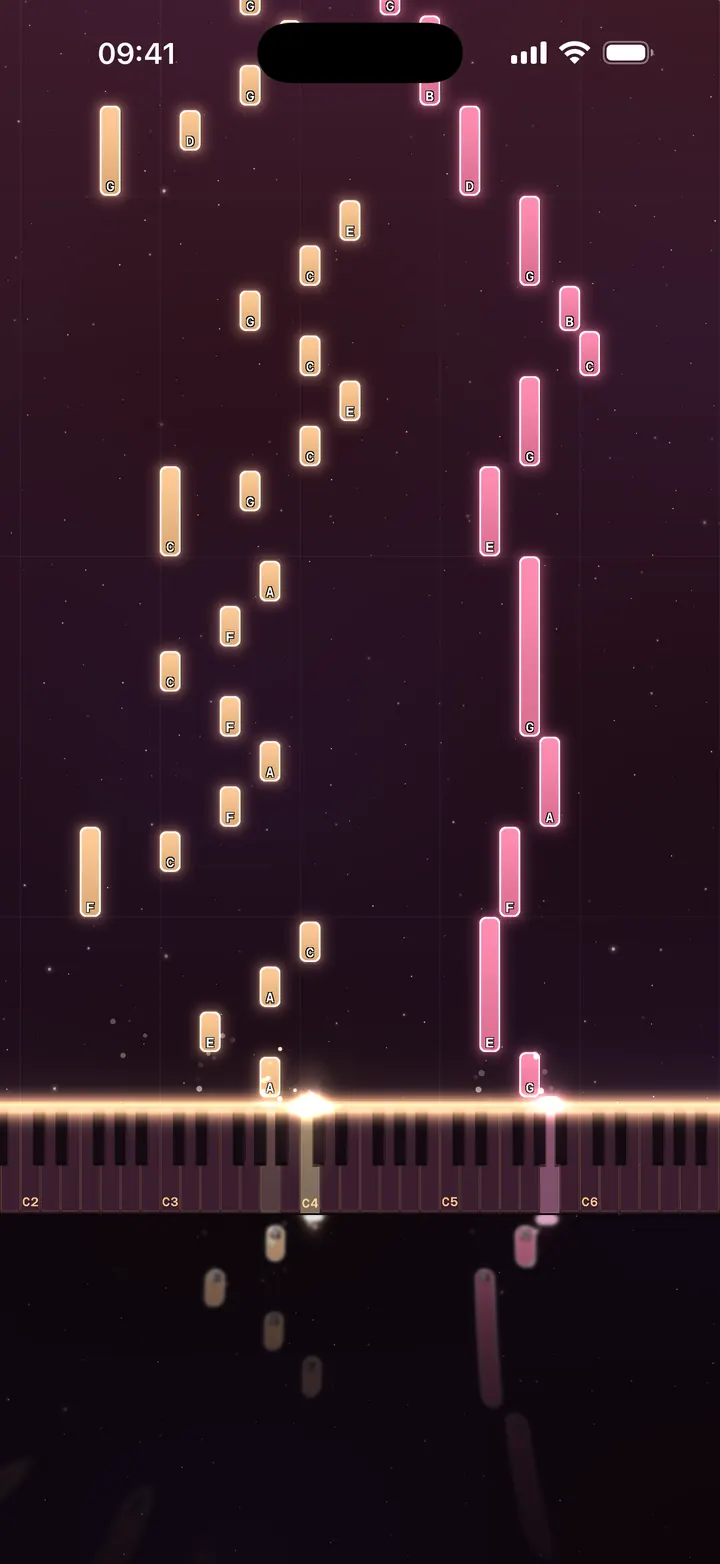
What it can visualise
- A MIDI or MusicXML file: every note exactly where it was written, with no transcription. See MIDI and MusicXML to falling notes.
- A recording or a piano video: AI transcription writes out the notes and AI hand split gives each to a hand. See piano video to falling notes.
- Your own playing: record at your piano in the app.
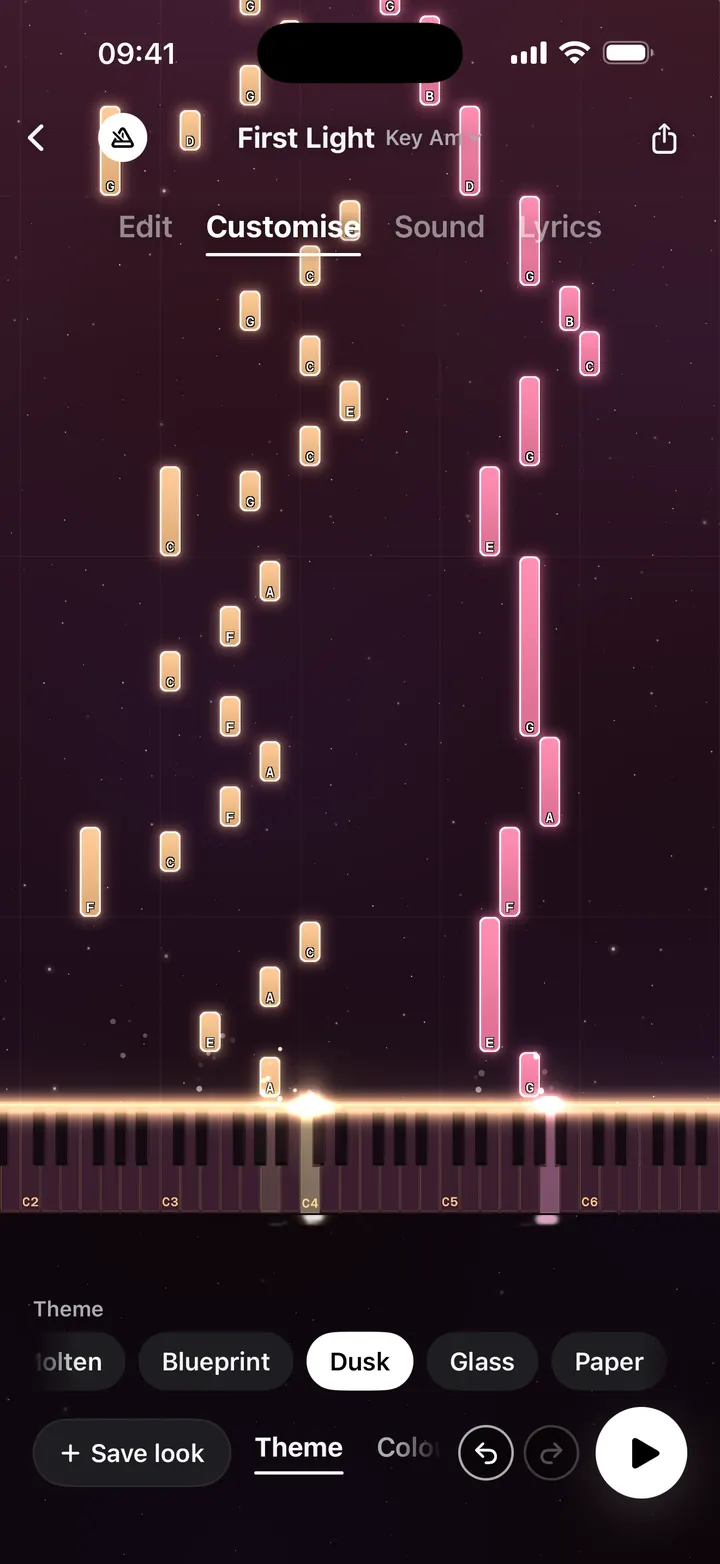
What you can change
- Themes and colours: twelve themes and eleven palettes. Two themes (Blanc and Block) and six palettes are free; Pro opens them all and your own colours.
- Note names: letters on the notes, and on the keys none, the C's or all of them. Free for everyone.
- The keyboard: 49, 61 or 88 keys, or fitted to the piece. With Pro, the camera follows the notes.
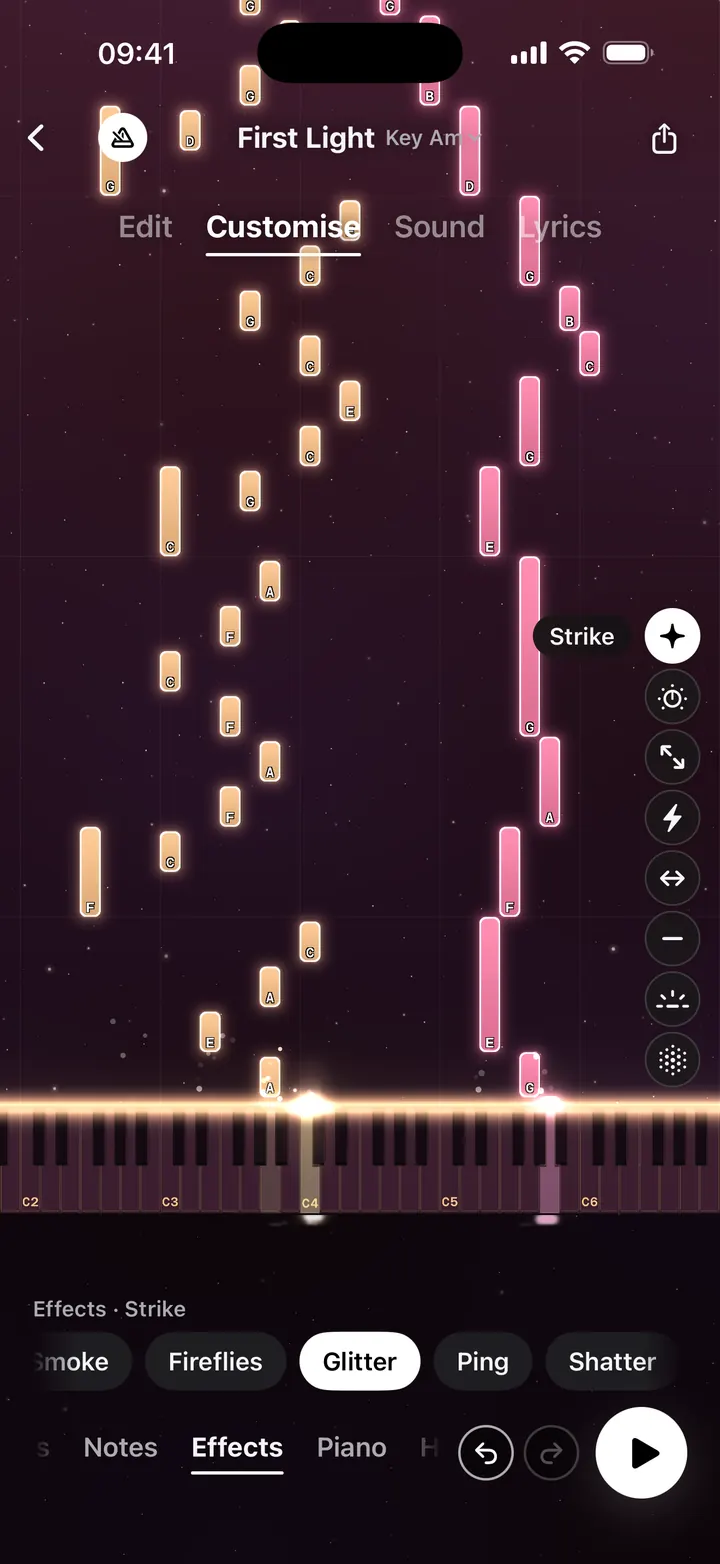
- When a note lands: a strike effect and a flash on the key. Pro opens every effect and note type.
- Behind the notes: with Pro, your own photo or video behind the notes or over everything, and lyrics that come in on time.
Export the visualisation
Export vertical, square or landscape, at up to 60 frames a second, to Photos, Files or the share sheet. The free plan exports at 1080p with a small Blanc Notes mark; Pro goes up to 4K and lets you switch the mark off. More in how to make a falling-notes video.
Free
14 pieces a month: AI transcriptions up to 59 seconds each, or MIDI and MusicXML files. Your 3 newest pieces open. Wait mode, Train and 1v1 play. Video export at 1080p and 60 fps with a small Blanc Notes mark.
Pro
Unlimited pieces, AI transcription up to 10 minutes each, every piece open, all twelve themes and every palette and effect, 4K export without the mark, 3D hands, your own background and lyrics. The yearly plan starts with 7 days free, once per Apple Account. The app shows your price before you pay.
Use music you've made or have permission to use.
Questions
What is a piano visualizer?
A piano visualizer shows music as notes falling onto a piano keyboard, so you can see which key plays, when and for how long. Blanc Notes is a piano visualizer for iPhone and iPad.
Can I visualize a MIDI file on iPhone?
Yes. Open a MIDI or MusicXML file in Blanc Notes and it becomes falling notes straight away, with no transcription.
Can I visualize an audio recording?
Yes, if it's solo piano. AI transcription writes out the notes: up to 59 seconds each on the free plan, up to 10 minutes with Pro.
Can I change the colours?
Yes. Six palettes and two themes are free. Pro opens all twelve themes, every palette and your own colours.
More guides
Get Blanc Notes
Free to download, for iPhone and iPad with iOS 18 or later.
Download on the App Store