
How to make a piano tutorial video on iPhone
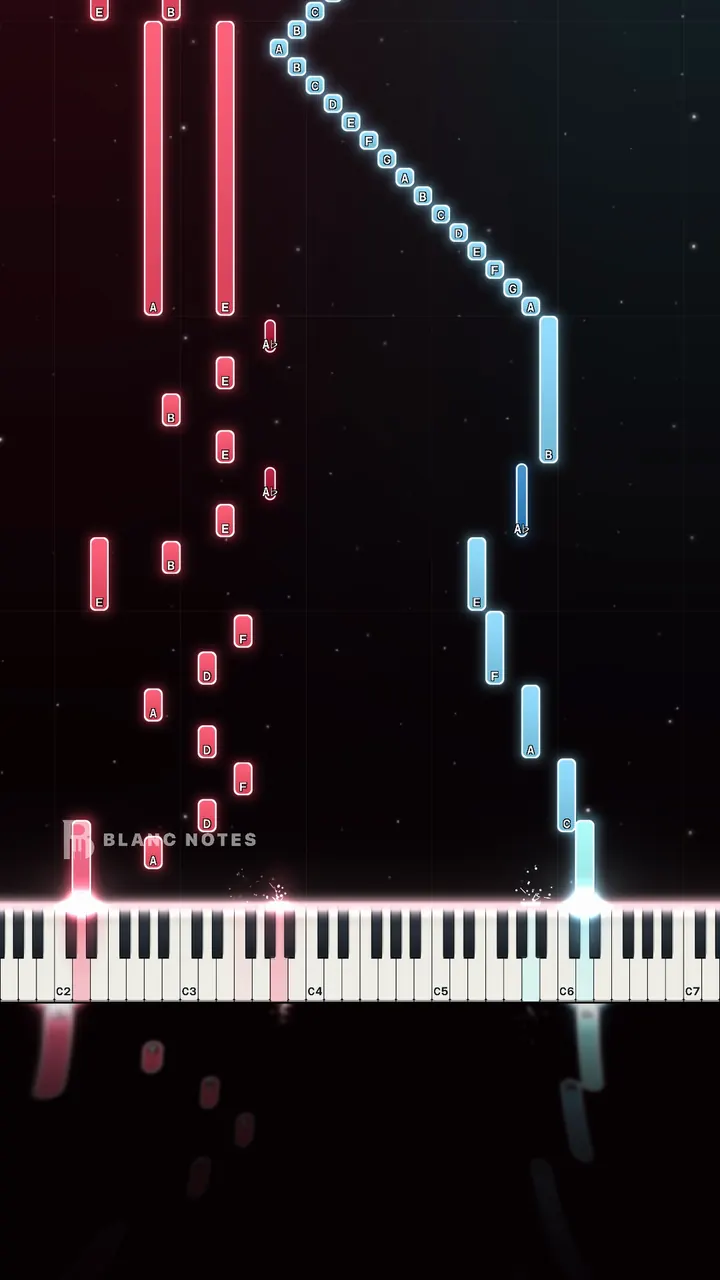
Piano tutorials on YouTube show each note falling onto the key to press, the hands in two colours and the note names on screen. Blanc Notes makes that kind of video on your iPhone or iPad, from your own playing or a MIDI file.
Step by step
- Get the notes. Record yourself at the piano in the app, share in a video of your playing, or open a MIDI or MusicXML file. Each note goes to a hand, so each hand has its own colour.
- Check every note. A tutorial has to be right. On Edit, move, lengthen, delete or add any note, or give it to the other hand.
- Make it readable. On Customise, turn on letters on the notes and on the keys (the C's, or every key), and choose 49, 61 or 88 keys, or fit the keyboard to the piece.
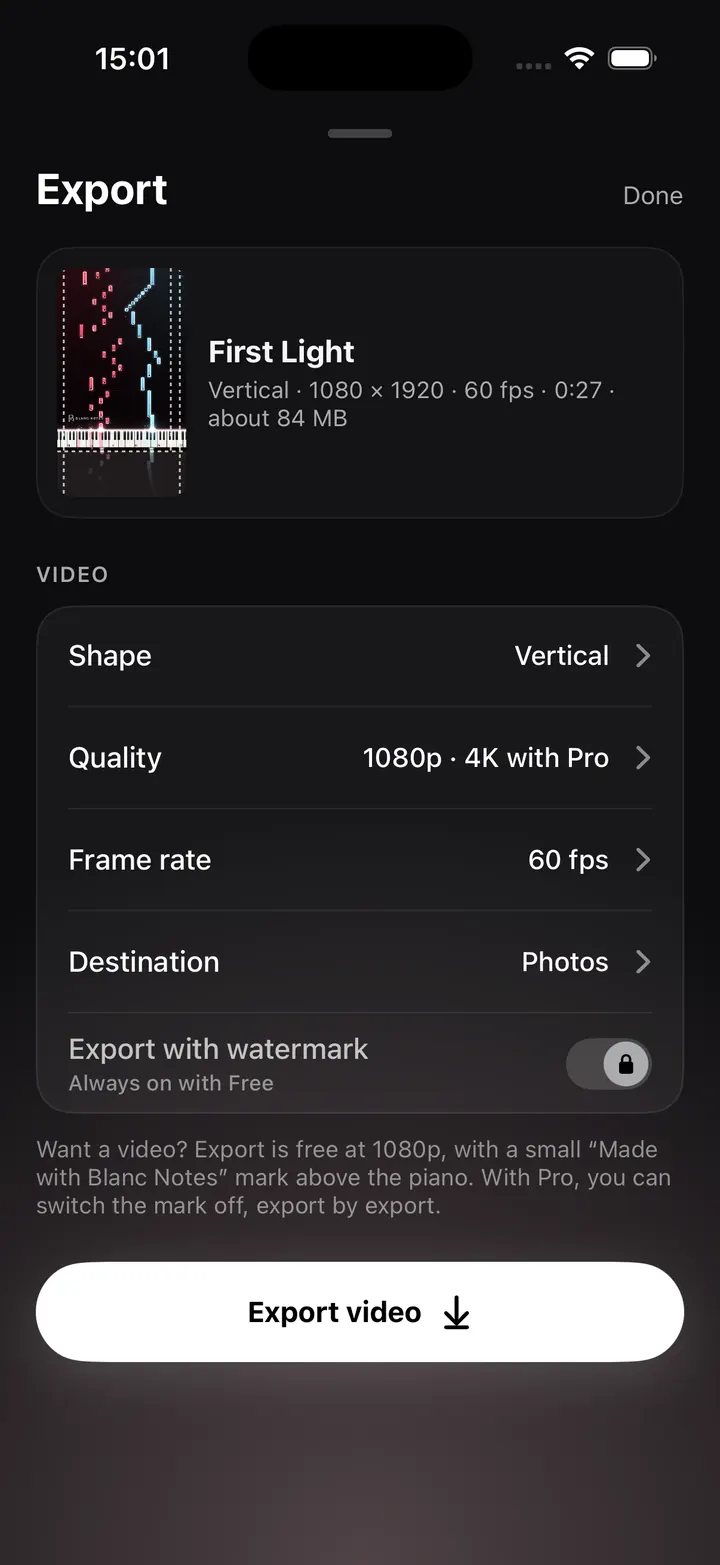
- Export it. Landscape for YouTube, vertical for Shorts, TikTok and Reels, at up to 60 frames a second.
Everything that helps people read it is free
Note names on the notes and keys, the keyboard width and fitting it to the piece are free for everyone. Free exports are 1080p with a small Blanc Notes mark above the piano.
With Pro
Up to 4K with the mark switched off, all twelve themes and every palette, the camera following the notes, and your own photo or video behind the notes or over everything.
Tips for a clear tutorial
- Record clear solo piano, close to the instrument, for the cleanest notes.
- Keep the two hands in clearly different colours.
- Fit the keyboard to the piece so the keys are as big as they can be.
Want it to look different? The piano visualizer guide covers themes, palettes and effects.
Free
14 pieces a month: AI transcriptions up to 59 seconds each, or MIDI and MusicXML files. Your 3 newest pieces open. Wait mode, Train and 1v1 play. Video export at 1080p and 60 fps with a small Blanc Notes mark.
Pro
Unlimited pieces, AI transcription up to 10 minutes each, every piece open, all twelve themes and every palette and effect, 4K export without the mark, 3D hands, your own background and lyrics. The yearly plan starts with 7 days free, once per Apple Account. The app shows your price before you pay.
Use music you've made or have permission to use.
Questions
How do I make a piano tutorial video like the ones on YouTube?
Make a piece in Blanc Notes from your own playing or a MIDI file, check the notes, turn on note names, then export a landscape video for YouTube or a vertical one for Shorts.
Can it show note names?
Yes. Letters can go on the notes and on the keys (the C's or every key), free for everyone.
What quality are the videos?
Up to 60 frames a second. The free plan exports 1080p with a small Blanc Notes mark; Pro exports up to 4K and lets you switch the mark off.
Can I make a tutorial of any song?
Use music you've made or have permission to use.
More guides
Get Blanc Notes
Free to download, for iPhone and iPad with iOS 18 or later.
Download on the App Store