
Learn a piano piece from a video, at your own pace
A video plays at its own speed. Blanc Notes turns it into falling notes you can slow down, loop and learn one hand at a time, on your own piano, and Wait mode holds each note until you play it.
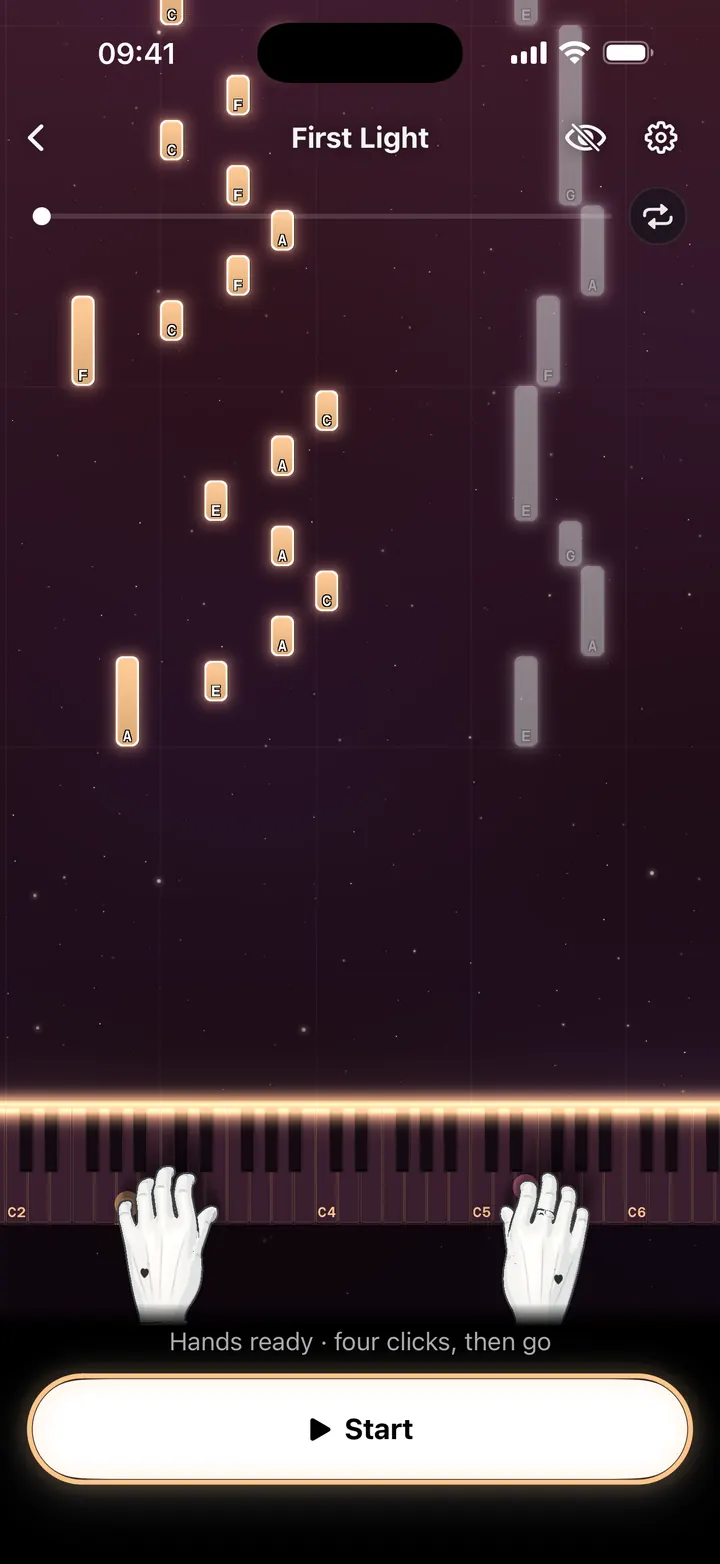
The way it works
- Turn the video into notes. Share a piano video to Blanc Notes or record it at your piano; AI transcription writes out the notes and gives each one to a hand.
- Pick a hand. Left, right or both. The other hand turns grey and plays along, so you still hear the whole piece.
- Slow it down and loop it. Lower the tempo and loop the bar that's giving you trouble until it's in your fingers.
- Turn on Wait mode. The notes stop until you play the right one, listening through the microphone or a MIDI keyboard.
Don't have the notes yet? Start by turning the piano video into falling notes.
Microphone or MIDI keyboard
The microphone works with an acoustic or digital piano: put the iPhone or iPad on the music stand and play. A MIDI keyboard, by cable or Bluetooth, reads each key exactly. You don't need one to start.
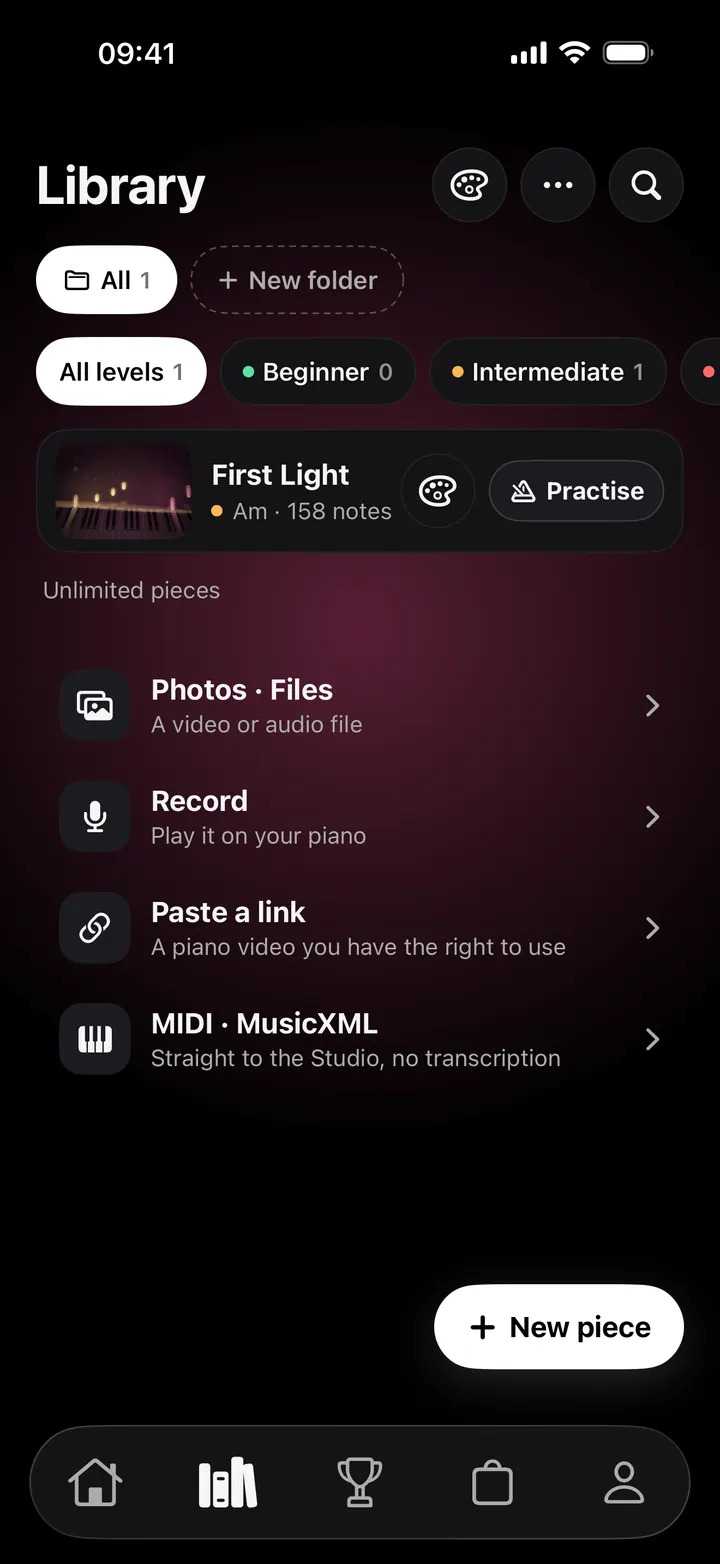
A few minutes a day
One minute of practice a day keeps your streak going. Train adds short drills (Sight reading, Notation, Warm up, Echo and the Keyboard check), each worth XP. When a piece is ready, play a friend on the same bars at the same tempo, or take it to the Arena.
Practice, Wait mode and Train are free for everyone. With Pro, 3D hands play your part so you can watch how it's played.
Free
14 pieces a month: AI transcriptions up to 59 seconds each, or MIDI and MusicXML files. Your 3 newest pieces open. Wait mode, Train and 1v1 play. Video export at 1080p and 60 fps with a small Blanc Notes mark.
Pro
Unlimited pieces, AI transcription up to 10 minutes each, every piece open, all twelve themes and every palette and effect, 4K export without the mark, 3D hands, your own background and lyrics. The yearly plan starts with 7 days free, once per Apple Account. The app shows your price before you pay.
Use music you've made or have permission to use.
Questions
Is there a piano app that listens and waits for you to play?
Yes. Blanc Notes has Wait mode: the falling notes stop until you play the right note, listening through the iPhone's microphone or a MIDI keyboard.
Can I learn a piano song from a video?
Yes. Blanc Notes turns a piano video you have the right to use into falling notes, then you can learn it one hand at a time, slower, looping the hard bar, with Wait mode holding each note until you play it.
What is Wait mode?
Wait mode stops the falling notes until you play the right note, so you learn at your own pace. It listens through the microphone or a MIDI keyboard.
Does it listen to an acoustic piano?
Yes. With the microphone on, Blanc Notes listens to an acoustic or digital piano.
Is practice free?
Yes. Practice, Wait mode and Train are free for everyone. The free plan makes 14 pieces a month, with your 3 newest open.
More guides
Get Blanc Notes
Free to download, for iPhone and iPad with iOS 18 or later.
Download on the App Store