
Make a falling-notes piano video to post
Record yourself at the piano, let Blanc Notes write out the notes, give it a look, and export a falling-notes video sized for wherever you post it. Everything happens on your iPhone or iPad.
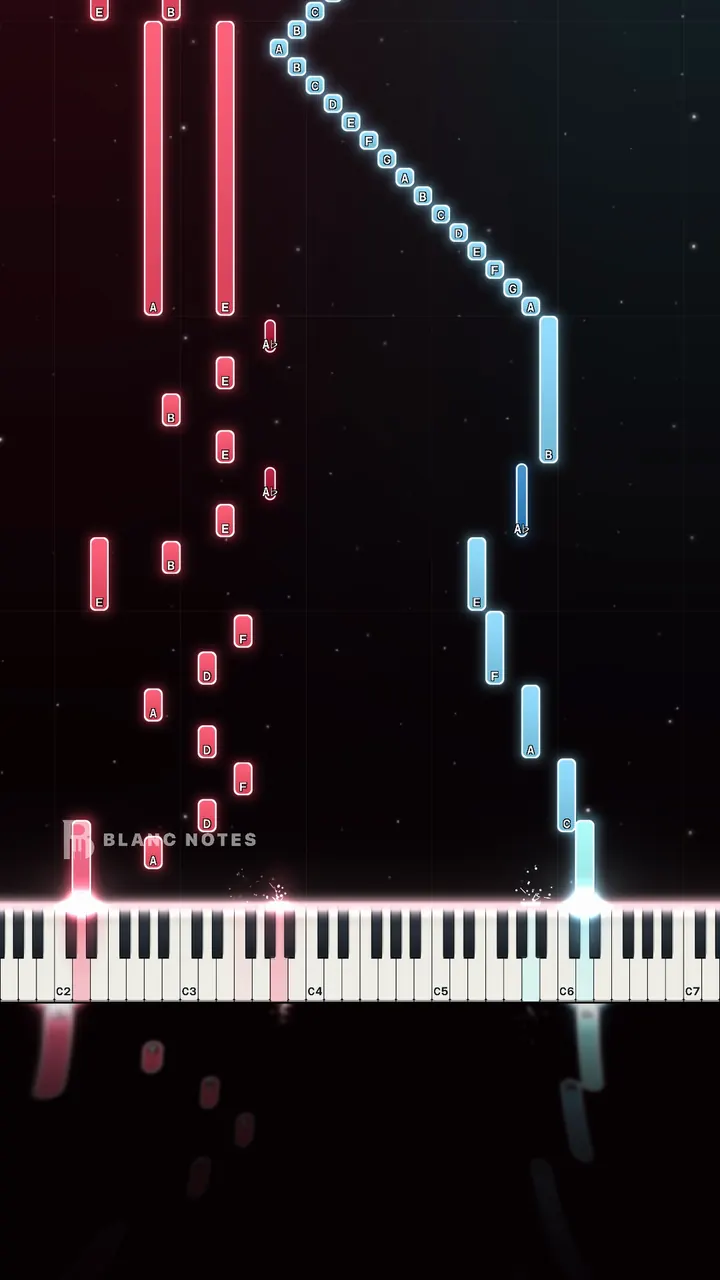
From playing to posting
- Make the piece. Record at your piano in the app, share in a video of your playing, or open a MIDI or MusicXML file.
- Tidy the notes. AI transcription writes them out. Fix any note on Edit: move it, lengthen it, delete it or add one.
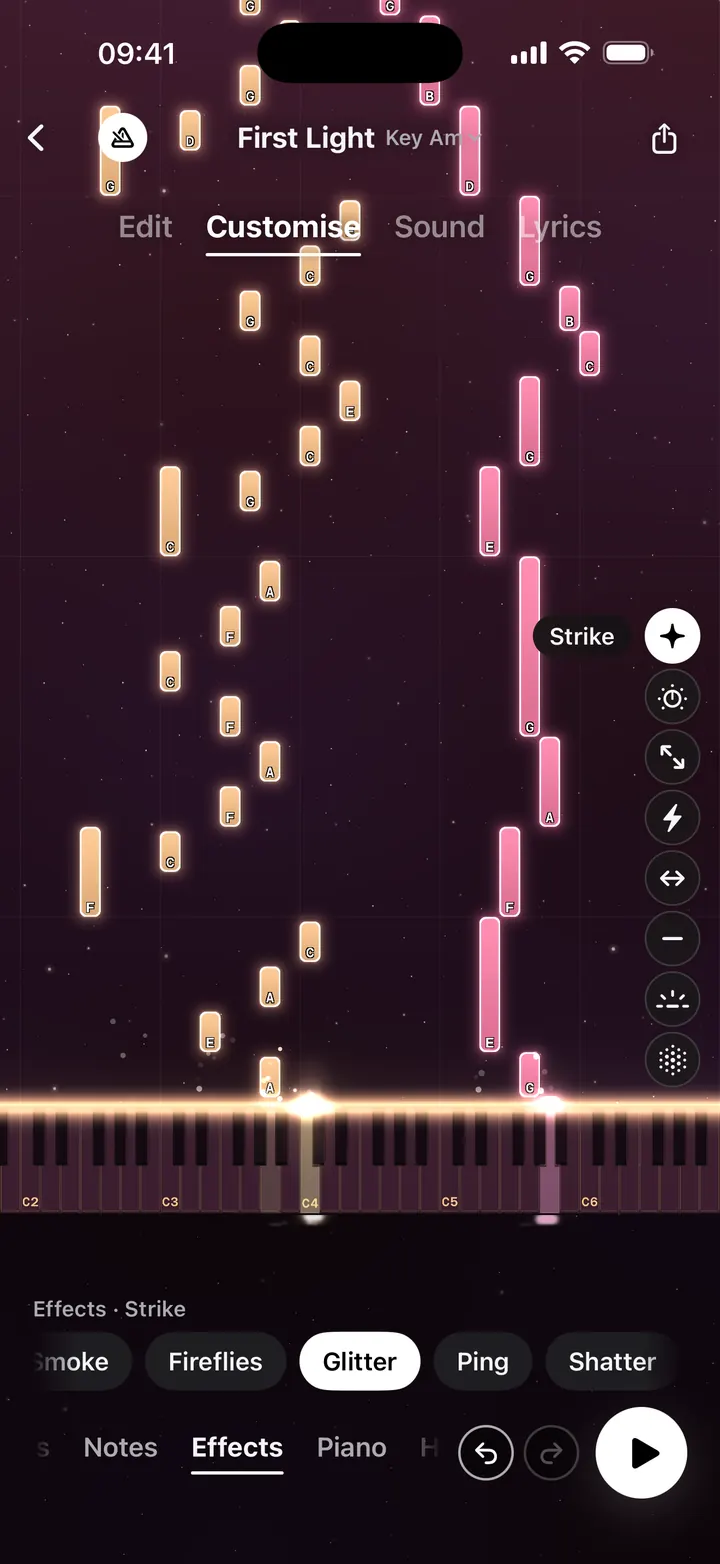
- Give it a look. On Customise, pick a theme, a palette, the notes' shape and what happens when a note lands. The look is saved with the piece.
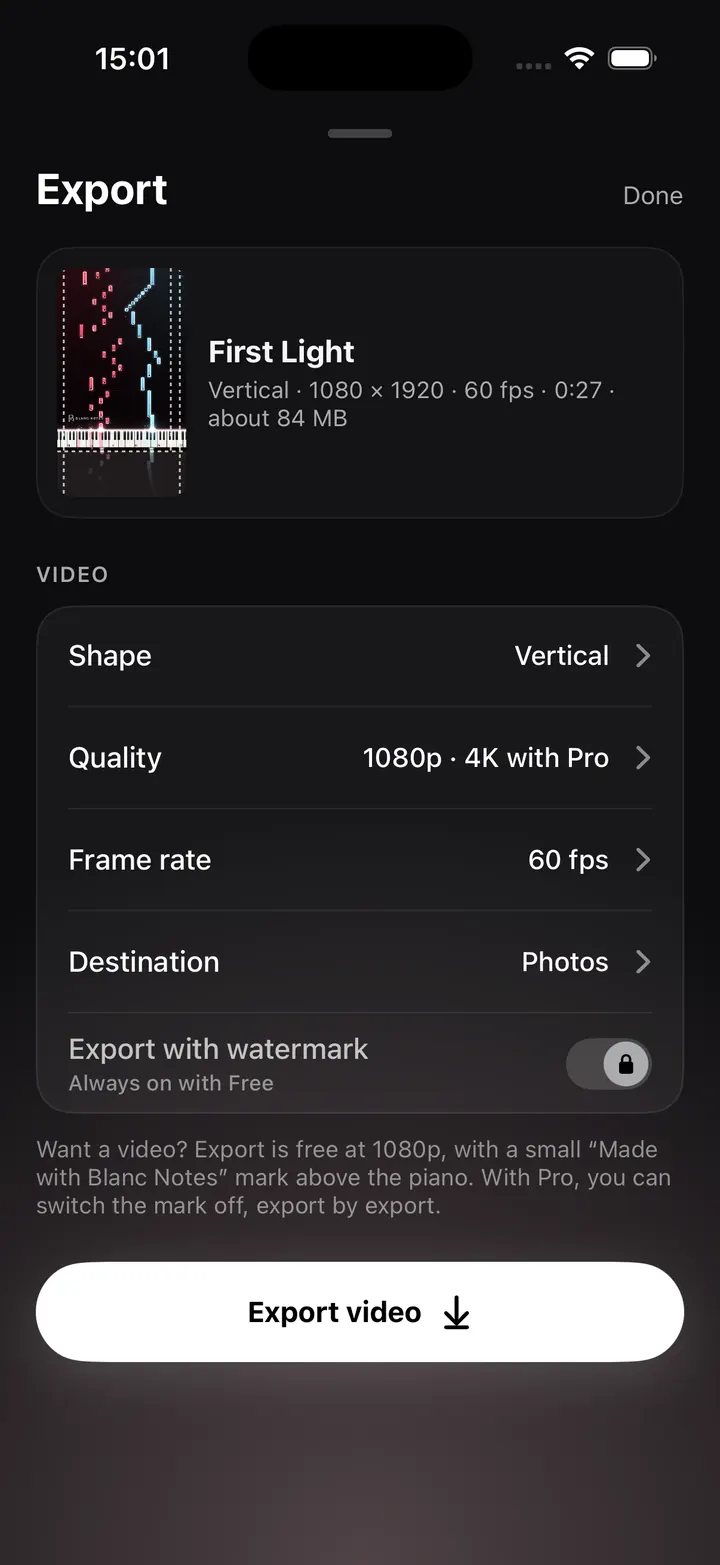
- Export. Tap the share button in the Studio. Choose vertical, landscape or square, the quality and where it goes: Photos, Files or the share sheet.
For a teaching video with note names on screen, see how to make a piano tutorial video.
Which shape for which app
- Vertical (9:16): full screen on a phone, for TikTok, Instagram Reels and YouTube Shorts.
- Landscape (16:9): for YouTube.
- Square (1:1): for feeds.
Quality and the watermark
Videos export at up to 60 frames a second, on every plan. On the free plan it's 1080p with a small "Made with Blanc Notes" mark above the piano. With Pro you can go up to 4K and switch the mark off.
Making it yours
Two themes and six palettes are free. Pro opens all twelve themes, every palette, your own colours and every effect, and lets you put your own photo or video behind the notes and add lyrics that come in on time.
Use music you've made or have permission to use. If a video uses a recording's own sound, Blanc Notes asks that it's yours to use; you can use the piano sound instead.
Questions
How do I make a falling-notes piano video on my phone?
Make a piece in Blanc Notes from your recording, video or MIDI file, choose its look on Customise, then tap the share button in the Studio to export a vertical, square or landscape video.
Can I export for TikTok, Instagram or YouTube?
Yes. Export a vertical video for TikTok, Reels and Shorts, landscape for YouTube, or square for feeds, to Photos, Files or the share sheet.
Is there a watermark?
Free exports are 1080p at 60 fps with a small Blanc Notes mark above the piano. With Pro you can export up to 4K and switch the mark off.
More guides
Get Blanc Notes
Free to download, for iPhone and iPad with iOS 18 or later.
Download on the App Store